

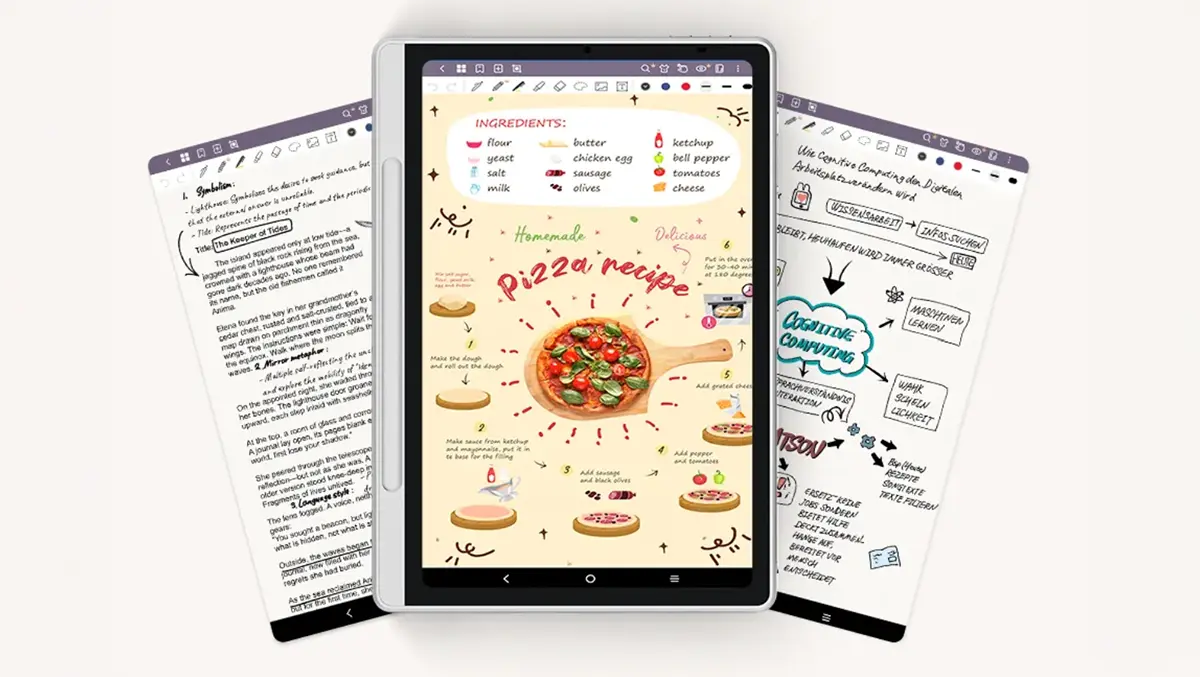
Hands-on Review: XP Pen Magic Note Pad
Wed, 6th Aug 2025
I have been using the XP Pen for a few weeks, and it has been an interesting experience. It also proved to be far more enjoyable than I anticipated.
This has been my first experience working with an Android OS tablet. However, it was as simple to use as my Android phone, with the added benefit of proprietary software and a stylus, as well as more screen real estate. The XP Pen includes some features that I haven't seen in other tablets. It is the "world's first 3-in-1 Colour Note Pad" and I'm still having fun trying these different modes.
Setting up was a breeze, with the only time-consuming aspect being the OS updates. If you're already established in the Google environment, all your "stuff" will automatically be there when you log in. Once I was set up, I wasted no time in getting a feel for the stylus. I'm a big fan of that pen-to-paper feel, and I was happily creating memos to myself, along with jotting down ideas for my sure-to-be Booker Prize material novel. My opening line, "It was a dark and stormy night," is sure to hook millions of readers. The stylus has a nice natural feel to it, and the magnetic recess means never having to remember where you left it.
There are three colour modes:
- Nature Colour Mode: displays vibrant, true-to-life colours
- Light Colour Mode: Low saturation reduces eye strain
- Ink Paper Mode: Paper-like monochrome display for comfortable reading
Most of the time, I opted for the Light Colour Mode. It is easy on the eye, and I liked the muted tone. If you don't need colour, the Ink Paper Mode is ideal, especially if you're doing a lot of reading.
Features and Specs
- 90Hz Refresh rate
- Paper-like Experience: natural writing feel with eye protection.
- Android 14 OS
- XP Pen Notes Software: lifetime free access with cloud Sync
- Dimensions: 182 x 259 x 7 mm with a 148 x 236 mm work area
- Brightness: 400 nit
User Experience
I used the XP Pen Magic Note Pad for surfing the web, tuning into my favourite You-Tube feeds, writing and my feeble attempts at making my own diagrams. The speakers are adequate, but I used my Bluetooth speaker for better sound quality. Shifting between the three colour modes is easily done, using the X key. The camera is easy to use, and while I know I'm biased, my selfies looked great.
The XP Pen website was an eye-opener. This is one of a range of products which will cater to users with a range of needs. For me, the XP Pen Magic Note Pad did everything I needed. The Notes software will cater for a range of users, from creative thinkers to those who need to write notes on the fly and keep them organised. The ability to reduce eyestrain is going to appeal to hard-core users who will be using it for extended periods. On that note, the website gives the average user about 13 hours between charges, but that, of course, will depend on the kind of use.
Parting thoughts
My usual tablet is labelled as a Pro model, and it has the price tag to match. However, I found that the XP Pen Magic Note Pad gave me a user experience that was so easy and seamless that my usual device has been getting far less usage than normal. The stylus did everything I needed it to do. More expensive items have more features, but this one proved enjoyable to use for my feeble art attempts and for note-taking. Power users who want the higher-end products will also pay higher-end prices. At the time of writing, the XP Pen Magic Note Pad was selling for just under AUD$500 through their website.