

Hands-on review - ExpressVPN Fortify Router
Wed, 25th Nov 2026 (Today)
In today's increasingly connected world, having a VPN across your devices has become an important part of protecting your online privacy.
Beyond the added security and privacy, a VPN also allows you to connect through servers in other countries, opening up access to a wider range of streaming content and services that might otherwise be unavailable in your region.
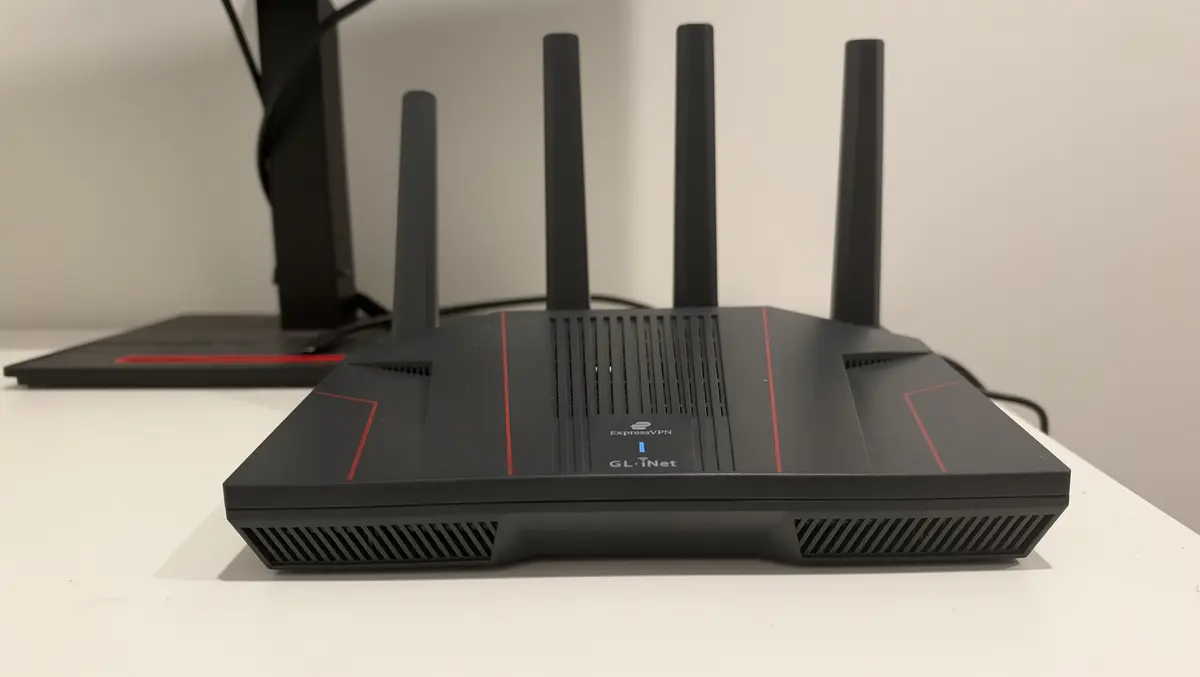
ExpressVPN's new Fortify router, powered by GL.iNet hardware and built on its trusty Flint 2 platform, is a dual-band AX6000 Wi-Fi 6 router designed to provide whole-home protection through its integrated VPN software.
One of the biggest advantages of having a VPN built directly into your router is the ability to extend that protection to devices that don't necessarily offer native VPN support, such as IoT devices and gaming consoles. Not to mention, it's considerably more convenient than having to install and configure an individual VPN application on every device in your household.
Installation and setup
If you've ever replaced your router before, you'll know it can sometimes feel like a tedious exercise, particularly when dealing with your internet provider's settings and existing network configuration.
I'm happy to say that getting the Fortify up and running took me just 10 minutes.
The router looks fairly ordinary and sports several ports on the back, including WAN, WAN/LAN, four LAN ports and a power input. On the side, there's also a USB 3.0 port for network storage, firmware updates and other accessories.
Once everything is plugged in and connected to the fibre ONT, configuring the router through GL.iNet's interface is relatively straightforward. It allows you to create your wireless networks (including one for guests) and adjust settings such as passwords, SSID visibility and bandwidth allocation. Parental controls can also be accessed here.
The software is easy to use for anyone who isn't tech savvy, but it also allows more experienced users to dive in and really fine-tune their network. Sadly, I'm not quite at that stage yet!
The interface also provides access to ExpressVPN's configuration options, allowing you to customise your VPN connection to suit your needs. Better still, a 12-month ExpressVPN subscription is included with the router, so you can get started without having to purchase a separate subscription.
Performance and features
We all loathe poor Wi-Fi performance, but the ExpressVPN Fortify router performed strongly throughout my testing. I was initially a bit disappointed it lacked Wi-Fi 7 technology, but my worries were quickly erased once I started putting it through its paces.
I live in a three-storey townhouse and have struggled with connectivity issues in the past, particularly when I'm located furthest away from my router's position in the garage - namely in my bedroom or out in the garden.
Using a combination of the 2.4GHz and 5GHz connections, I was impressed with the download and upload speeds, particularly with the VPN disabled. I was averaging around 900Mbps in download speeds across several devices over Wi-Fi. I also noticed a significant improvement in Wi-Fi coverage throughout the house compared to my previous router.
With the VPN enabled, speeds inevitably took a hit, but I was still able to average around 550Mbps, which is more than sufficient for most activities, including streaming, video calls and general web browsing.
The Fortify uses WireGuard, a modern VPN protocol designed to deliver a balance of speed and security. This is particularly important when running a VPN directly through your router, as it needs to handle encrypted traffic from multiple connected devices simultaneously.
Another noteworthy feature of the router is the ability to manage VPN connections on a per-device basis, also known as VPN routing. This means you can choose which devices connect via a VPN and which connect directly to the internet, rather than forcing every device in your household through the same connection. I tested this by ensuring my PS5 wasn't connected to the VPN, allowing me to maintain the best possible connection for online gaming while keeping my other devices protected.
Through GL.iNet's interface, you can also configure individual devices to connect to VPN servers in different countries. For example, your iPad could connect to a UK server, your TV to the USA, and your smartphone to a New Zealand server. I found these individual VPN connections remained stable and performed well throughout my testing.
Verdict
The ExpressVPN Fortify router is a great addition to any household, allowing you to extend VPN protection across your entire network without sacrificing performance.
The ease of setup, improved Wi-Fi coverage and VPN flexibility make it a worthwhile upgrade if you're looking to upgrade your home network.
The included 12-month ExpressVPN Advanced subscription adds value to the router's AUD $289.99 asking price, although it's worth keeping in mind that renewal will cost USD $119.95 (approximately AUD $180) once the initial subscription expires.
Wi-Fi 7 support would have been a welcome addition, particularly as more devices begin adopting the standard, but this is hardly a dealbreaker given the performance I experienced during testing.
Ultimately, the Fortify delivers a great combination of convenience, performance and privacy. If you're looking to introduce VPN protection across multiple devices, it's well worth considering.