

Hands-on review: Apple Watch For Your Kids - Affordable phone substitute
Fri, 31st Jul 2026
For parents looking for a way to keep their children connected, without having to fork out hundreds or thousands of dollars for the latest fully-fledged iPhone or Android smartphone, Apple Watch For Your Kids is an affordable, practical, and reliable middle ground.
Apple had previously implemented a 'for kids' mode, but this new offering represents a new UI and UX, designed specifically for kids and the way they interact with technology.
Currently available through Telstra's wide Australian network, Apple Watch For Your Kids provides parents with the ability to make calls, send and receive messages, and track their child's location. Privacy and app-specific settings are customisable, allowing multiple options for kids of different ages.
The array of fitness and health apps available on Apple Watch make staying active more fun, and parents can modify settings, so entertainment apps are only accessible outside of school hours, or only for a set period every day.
There is no need to worry about stories or Snaps being sent while at school. Native social media apps, like those offered by Meta (Facebook, Instagram, WhatsApp) or Reddit are not available on Apple Watch without third party workarounds, so there are fewer distractions, as opposed to buying a smartphone.
Apple Music is accessible through watches, but can be locked during school hours.
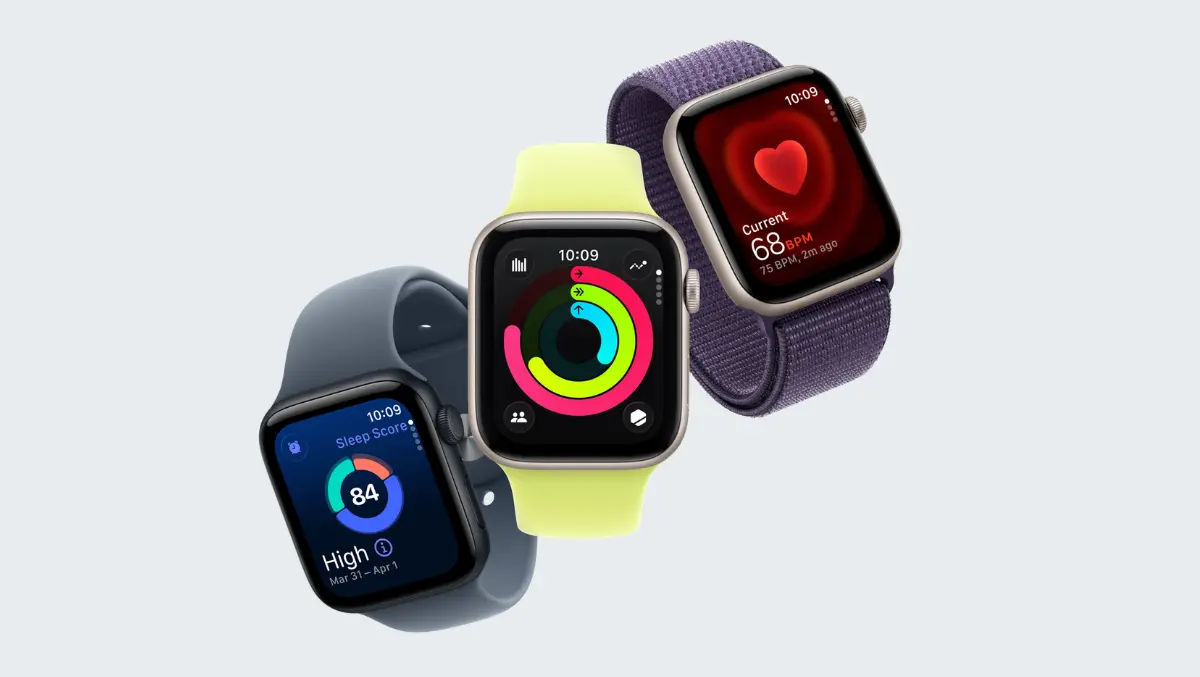
Apple Watch For Your Kids is perfectly suited to the more compact - and more budget friendly - Apple Watch SE series, with a brand-new SE 3 Cellular + GPS representing great value, starting at A$499.
As mentioned, the only Australian carrier to offer a mobile plan is Telstra. A plan for a child's watch will set parents back $20 per month for the cellular data, call and messaging features.
Depending on usage, Apple Watch will need to be charged daily or every couple of days, but this can also present an opportunity to teach children about looking after property and ensuring their watch is ready to be used when they head out the front door every morning.
Note that for any parents not already in the Apple ecosystem, an iPhone is required for the initial setup, as well as managing the parental control features - it is not compatible with an Android device.
Key features
Schooltime mode: Clearly identified with a yellow analogue clock showing on the watch face.
Blocks notifications and restricts the usage of certain apps within school hours, allowing the child to focus on schoolwork and socialising without the distractions that music, internet browsing and social media bring.
Location and safety: Making use of the cellular function, parents can track their kid's location through Find My, as well as set location-based restrictions for apps.
Fitness and health: The latest Apple Watch models gain numerous health-focused features, including heart rate monitoring, wrist temperature sensing, and activity tracking.
Fitness tracking has been slightly modified, with a focus on time spent moving around rather than number of calories burned. Nevertheless, it's still a good way to measure activities like playing netball or soccer on a Saturday morning, running around at the park, or going for a weekend family stroll.
With its safety, focus and health features, Apple Watch For Your Kids is an excellent option for parents looking for a way to communicate with their children and rest easy knowing their location throughout the day.